Skip to content

Service

Automation with n8n, Notion and Make

Connect your tools and remove repetitive work with workflows that run on their own.

  • n8n, Notion and Make
  • Written scope before work starts
  • Built around the tools you already run

Overview

Remove the repetitive steps between your tools

Enquiries copied from email into a spreadsheet, the same data typed into two systems, follow-ups that depend on someone remembering them: small manual steps add up, and they are where mistakes happen.

MISSIRIA maps those steps and automates the ones worth automating, using tools such as n8n, Make and Notion to connect the systems you already run rather than adding a new platform for your team to learn.

Each workflow is delivered under a written scope, tested with real cases and documented, so your team knows what runs, when, and what to do if something needs attention.

What we automate

Four parts of the work

Most projects combine several of them. Your written scope lists exactly which workflows are built.

n8n and Make workflows

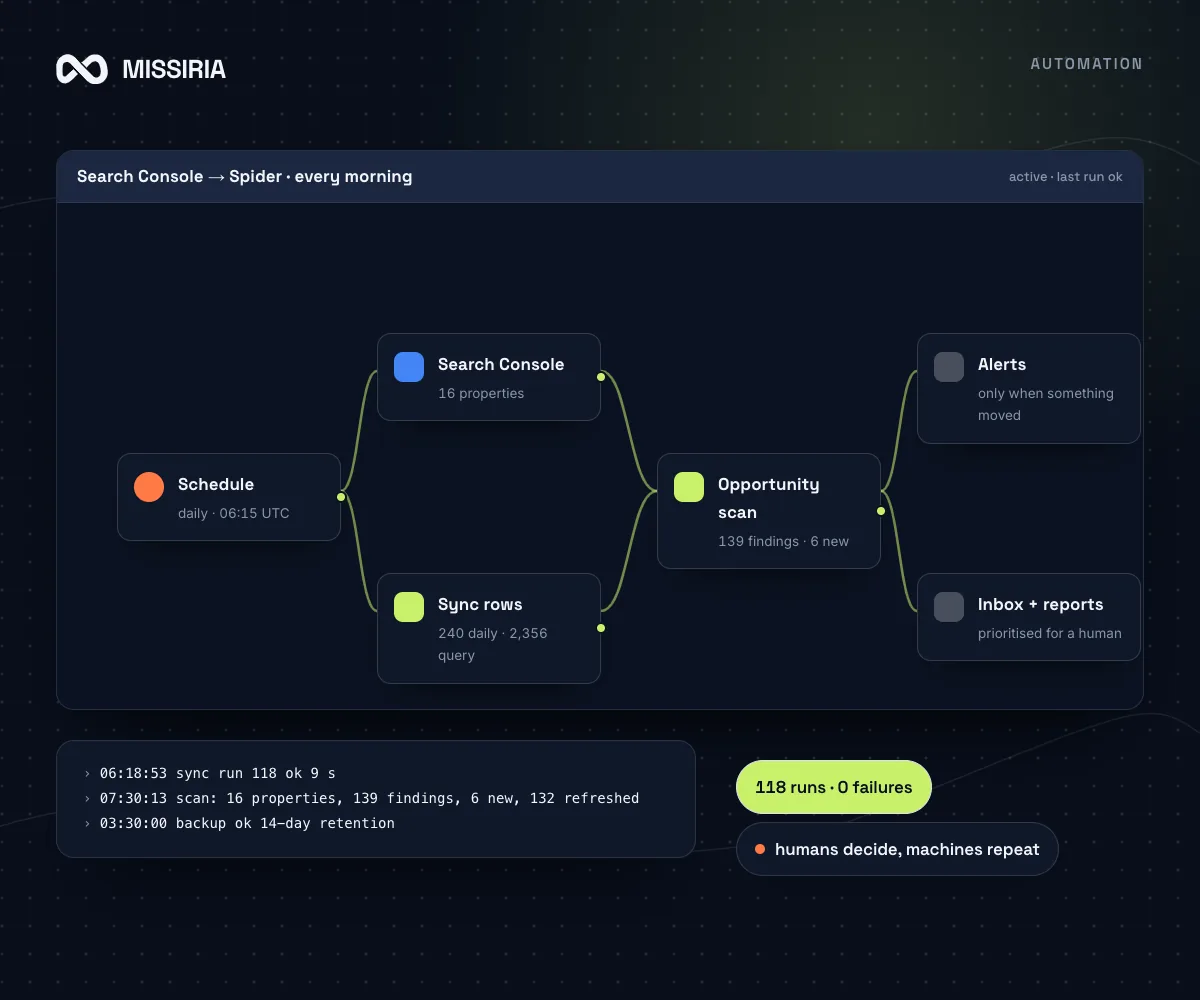
Workflows that run on their own when something happens, such as a form submitted, an email received or a status changed, or on a schedule.

  • Enquiry and lead routing
  • Follow-up tasks and reminders
  • Scheduled jobs and data clean-up
  • Error alerts when a step fails

Notion workspaces and databases

A workspace where your team finds projects, clients and procedures in one place, structured as databases that workflows can read and update.

  • Workspace structure for your team
  • Databases for clients, projects and tasks
  • Templates for recurring work
  • Procedures and documentation pages

Integrations between your existing tools

Connect the tools you already pay for, so data entered once reaches every place it is needed.

  • Website forms to your CRM, Notion or email
  • Data synced between business tools
  • Connections through each tool's API where available
  • Invoice drafts and reminders prepared automatically

Testing, monitoring and documentation

What keeps automation trustworthy after launch: it is tested, failures are visible, and your team understands it.

  • Workflows tested with real cases before launch
  • Alerts when a run fails
  • A map of every workflow and what it does
  • Handover of access and documentation

Process

How a project runs

  1. Map the work

    We go through the steps your team repeats, the tools involved and where data is copied by hand.

  2. Written scope

    We propose the workflows worth automating, with deliverables, timing and cost. Nothing starts until you approve it.

  3. Build and test

    Workflows are built and tested with real cases. You review each one before it runs on live data.

  4. Launch and handover

    Workflows go live with alerts on failures, and your team receives the documentation and access.

Deliverables

What you receive

Typical outputs. Your written scope lists the ones that apply to your project.

  • Process map

    The steps your team repeats today, and which ones are automated.

  • Workflows

    n8n or Make workflows built, tested and running on your accounts.

  • Notion workspace

    Databases, templates and pages structured for how your team works.

  • Integrations

    Your existing tools connected, so data is entered once.

  • Failure alerts

    A notification to the right person when a workflow does not complete.

  • Documentation

    What each workflow does, what triggers it and how to pause or change it.

Not included

  • Subscription fees for n8n, Make, Notion or other tools, which are billed by those providers.
  • Automating a tool that offers no API or export, unless a workable method is confirmed in the scope.
  • Round-the-clock management of workflows, unless it is listed in the scope.
  • Promised time or cost savings. The scope describes the steps automated, not a figure.

Who it is for

Is this the right service for you?

A good fit if you

  • copy the same data between tools by hand
  • lose enquiries or follow-ups between email and spreadsheets
  • want your team's projects and procedures in one Notion workspace
  • already use n8n, Make or Notion and want more out of them

Probably not the right fit if you

  • want a packaged plan rather than a custom project: see the automation subscription
  • need a full custom software platform: see Websites and mobile apps

Questions

Automation FAQ

Short answers to what people ask before they start. Anything else, email us.

Which tools do you automate with?

Mainly n8n, Make and Notion, connected to the tools you already run. The written scope names the tools used for each workflow.

What kinds of tasks can be automated?

Repetitive steps with clear rules: routing enquiries, creating follow-up tasks and reminders, syncing data between tools, preparing invoice drafts and producing regular reports.

Do we need to change our current tools?

Usually not. Automation is built around the tools you already use. If replacing one is the better option, it is proposed in the written scope with the reasons.

n8n or Make: which one do you use?

It depends on your tools, your volume and who will maintain the workflows. The choice and the reasons for it are set out in the written scope.

What happens when a workflow fails?

Workflows are set up with alerts, so the right person is told when a run does not complete, and the documentation explains how to check and restart it.

How long does it take?

It depends on how many workflows and tools are involved. The timing is set in the written scope before work starts, and you approve it.

What is the difference with the automation subscription?

The Automation service is a custom project under a written scope. The automation subscription is a packaged product with a defined scope and a published price per term. Both are listed on the site so you can choose.

Who owns the workflows?

They run on accounts you control, and you receive the access and documentation at handover, as listed in the written scope.

Can the work continue after launch?

Yes, when it is useful. New workflows or changes can follow under a new scope agreed in writing.

All insights

Next step

Tell us which steps your team repeats

Send a few lines about the tools you use and the manual work between them. You get a reply by email with questions, a call slot or a written scope.

Contact details & locations

Or write to us directly

[email protected]

Useful to include

  1. What your business does and who it serves
  2. The tools you already use
  3. What should change, and by when

Your cart

    Your cart is empty

    Choose a workflow pack or a subscription below.

    Add more

    Workflow packs

    • Workflow pack · Full pack

      Pack Edits

      100 EUR

    • Workflow pack · Demo

      Pack Edits

      34 EUR

    • Workflow pack · Full pack

      Pack Posts · Article Worker

      119 EUR

    • Workflow pack · Demo

      Pack Posts · Article Worker

      19 EUR

    • Workflow pack · Full pack

      Pack SEO

      199 EUR

    • Workflow pack · Demo

      Pack SEO

      64 EUR

    Available products